
dlc · Steam #1046086
Cyberdimension Neptunia: 4 Goddesses Online - Black Heart Angel Ring
Apr 19, 2019 · IDEA FACTORY, COMPILE HEART, TAMSOFT

About the game
A closer look.
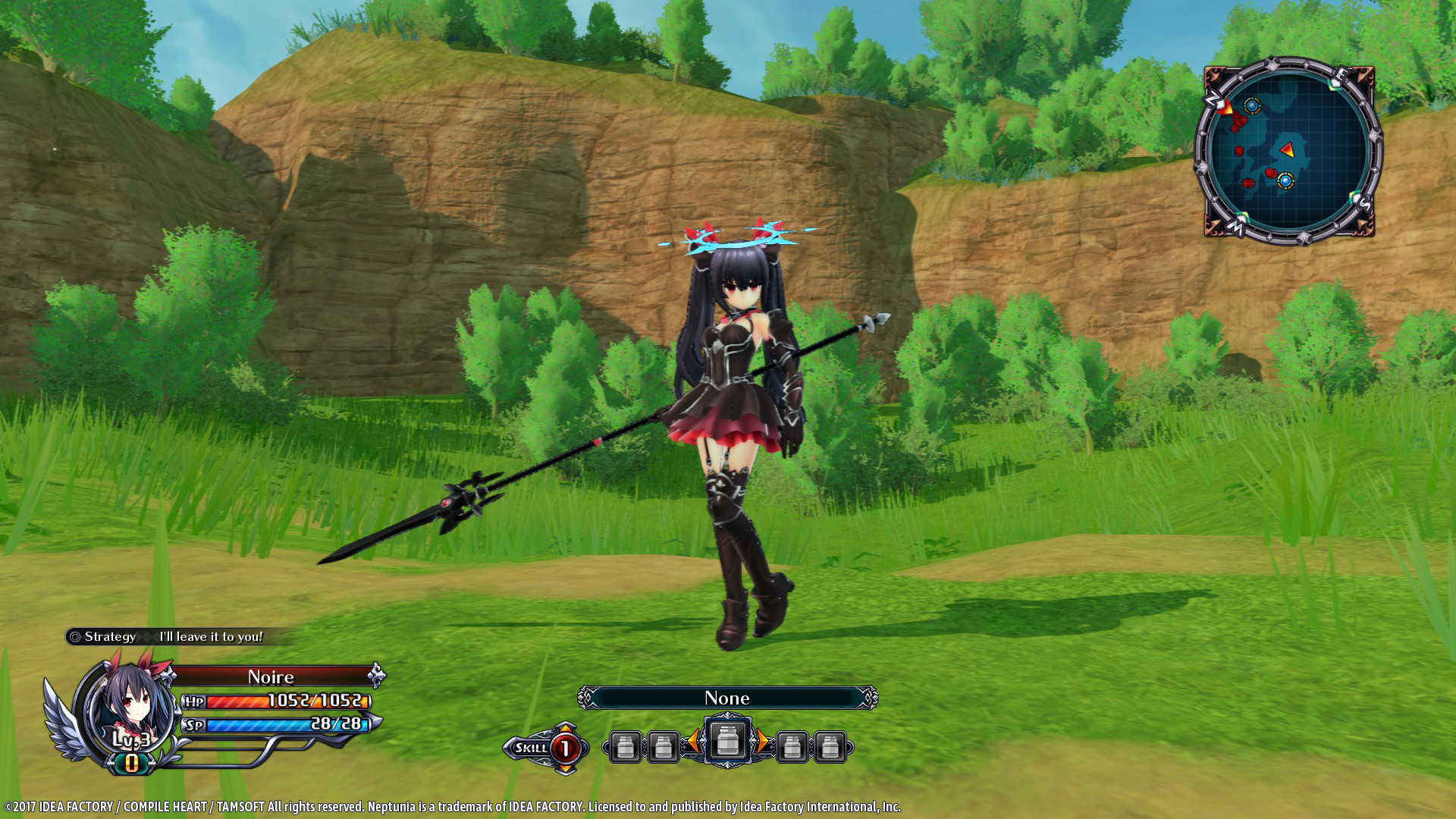
Black Heart Angel Ring will be added to your item inventory. An accessory that looks like an angel ring. *After installation of the DLC access the "DLC" option on the title screen to turn the purchased DLC to "ON". 1. Start "Cyberdimension Neptunia: 4 Goddesses Online" 2. In "DLC" enable "ON" for the new DLCs 3. Load a save file 4. Enter the World Map 5. Enter a dungeon 6. Open the Menu 7. Select "Customize" 8. Under Accessories, select a slot 9. Scroll down to the bottom for the 9 new DLCs 10. Select Black Heart Angel Ring
From the game
Player activity
Player history.
Loading sampled player observations…
Summer DB community
Your experience belongs here.
One rating per account. Edit or remove yours at any time. Summer’s own games follow the same rules.
Checking your Summer account…